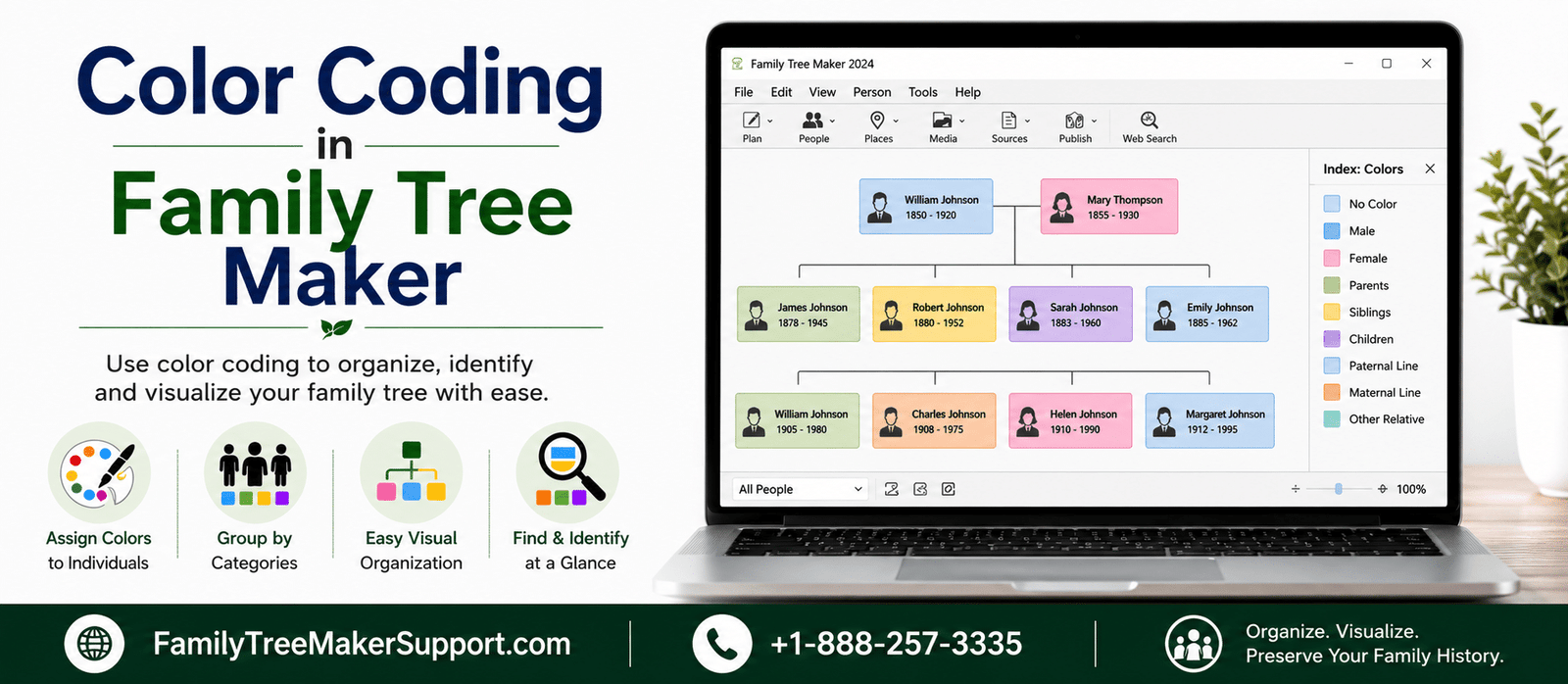
It is not easy to manage a large Family Tree, and once you add more ancestors, descendants, and research notes, it becomes more difficult to manage. Using the Color Coding in Family Tree Maker lets you simplify tree management by highlighting people and family branches by using color, which makes it look easier to organize and navigate. This article covers everything you may need to know about using color coding, including the benefits, common uses, and step-by-step instructions to apply and remove colors.
Color coding in Family Tree Maker
Color coding is one of the advanced features in Family Tree Maker (FTM) with the help of which you can visually organize people within your family tree by assigning different colors to individuals. This will make it easy to identify branches of your family, research for the progress or specific groups at a glance.
What Are The Uses Of Color Coding
There are a number of uses of color coding mentioned below: go through all of them at once:
- Distinguish your mother and father’s family lines.
- Easily identify your direct ancestors and descendants on an early basis.
- Keep track of all your records which are under verification or review.
- Label all the relatives who have taken DNA tests.
- Categorize the people through life events, occupations, and immigration history.
- Organize family members for specific research projects.
Benefits Of Color Coding
Here are some of the benefits of color coding mentioned below. Go through all of them at once:
- Keeps it easy to navigate the complex Family Trees.
- Helps in finding specific family members faster.
- Organize your genealogy research.
- Reduces confusion in the large family trees.
- Boosts the overall family tree viewing experience.
Things To Keep In Mind
Here are some of the points you must keep in mind while using the color coding feature.
- Color coding is only a visual organization tool. It does not bring any changes to the person’s genealogy data.
- It is possible to change or remove color at any point in time
- In FamilySync, color coding does not sync to Ancestry. The color will stay only within your Family Tree Maker file.
How To Apply Color Coding To A Specific Family Line?
By adhering to the below given steps, you can easily apply color coding to a particular family line:
- Click on the people workspace, open it, and then switch to the tree view.
- Choose the individual whose family branch you want to allot color to.
- Click on color coding from the toolbar.
- Choose any of the following:
- All ancestors (1 color) in order to highlight each ancestor with the same color.
- All descendants to color every descendant.
- All ancestors (4 colors) automatically allot four colors to the individual’s four ancestral lines.
How To Allot A Color To A Particular Person?
It is easy to highlight an individual in Family Tree Maker by assigning a unique color.
- Open the tree view within the People workspace.
- Select the person that you want to color code.
- Click on the color coding button.
- Select a color under the current person. You will get up to eight colors to organize your tree.
Procedure For Removing Color Coding From A Person Or A Family Line
Whether you have allotted a color to one person or an entire family line, you can easily remove it in a few clicks.
- Navigate to People> Tree.
- Choose any one of the following:
- The individual whose color you want to remove.
- The root person of the family branch if you want to remove colors from all the related ancestors or descendants.
- Click on the color coding from the toolbar.
- Choose the Remove (X) button beside the color coding category you want to clear.
How To Remove Color Coding In Family Tree Maker?
In order to reset the tree and remove each and every color assignment:
- Navigate to People> Tree.
- Tap the color coding button on the toolbar.
- Select Clear All Colors from the menu.
These are the right steps through which you can easily remove the color assignment.
Conclusion!
The color coding feature in Family Tree Maker is one of the simple and effective ways of organizing and managing a family tree. From allocating colors to individuals to clearing all the assigned colors, Family Tree Maker provides you complete control over how your tree is displayed. By using the feature in a proper manner, you can streamline your research and improve your overall genealogy experience.
Need Assistance?
You can reach out to our Family Tree Maker Support team anytime:
Phone Support: +1-888-257-3335
Live Chat Support: Available through our website for instant help.
Andy Smith is a genealogy researcher and family history specialist with over 10 years of experience in family tree research, ancestry records, and genealogy software. He specializes in Family Tree Maker, Legacy Family Tree, Ancestry, FamilySearch, and DNA-based family history research, helping users preserve and organize their family heritage.