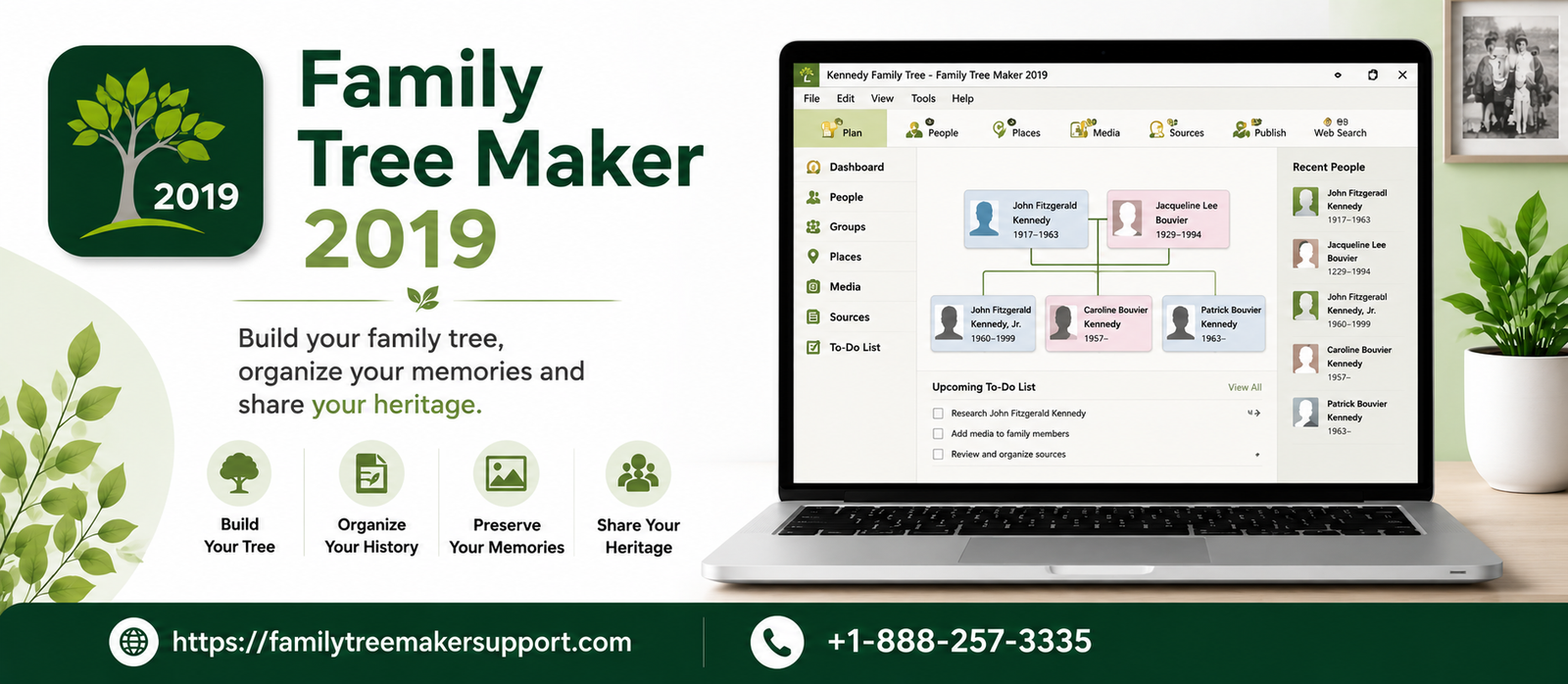
Family Tree Maker is Feature-rich genealogy software that helps you build, organize, and preserve your family history with convenience. Whether you are looking to install the program, sync with Ancestry, Manage TreeVault Services, repair files, or create backups, having a thorough understanding of its key features and troubleshooting methods can help you get the most out of this software. This guide will walk you through everything you need to know about FTM 2019.
How To Install Family Tree Maker 2019?
Family Tree Maker can be easily installed on both Windows and Mac. Right after purchasing the software, you can easily Install a Family Tree Maker 2019 by following the steps below.
Download Family Tree Maker 2019
- Open the confirmation email related to the purchase you have received right after buying Family Tree Maker 2019.
- Tap on the download link that is provided in the email.
- Save the installer to your computer, preferably in the downloads folder.
- Let the download complete before proceeding.
Install Family Tree Maker 2019 On Windows
- Locate the FTM2019 installer that you have downloaded.
- Double-click on the installation file.
- If the User Account Control prompt appears, click Yes.
- Go through the license agreement and adhere to it.
- Choose the location where you want to keep the default folder.
- Click Install and wait for the installation to finish.
- Click Finish when the installation is complete.
Install Family Tree Maker On Mac
- Open the downloaded .dmg file
- Bring the Family Tree Maker 2019 icon into the Applications folder.
- Open the Applications folder and double-click on Family Tree Maker 2019.
- If prompted by macOS security, confirm whether you want to open the application.
- Activate Family Tree Maker 2019.
Launch Family Tree Maker 2019
- Mention your product key when prompted.
- Sign in with your family tree maker account if asked.
- Complete the activation process by adhering to the on-screen instructions.
- Once the activation is successful, the software will become ready to use.
Launch Family Tree Maker 2019 on Windows
Tap twice on the Family Tree Maker desktop shortcut or open the Start menu and look for the family tree maker 2019.
Launch Family Tree Maker 2019 on Mac
- Open the Applications folder.
- Tap twice on Family Tree Maker 2019 to launch the program.
- If you want, you can add it to the doc for quicker access.
Start The Procedure After The Launch
- Create a new family tree.
- Look for the restoration of the existing Family Tree Maker backup (.FTMB).
- Import a GEDCOM file.
- Connect and sync your Ancestry tree with the help of FamilySync (if it is applicable).
FTM 2019 Features To Bring In Use
Here are some of the FTM 2019 Features that you can take advantage of to elevate your tree performance:
. TreeVault Cloud Services
With Treevault Cloud Services, you can securely store a recent copy of your family tree in the cloud, helping you protect your research from unexpected data loss. It also provides access to additional cloud-based features, making it an easy way to safeguard your genealogy and keep your tree available whenever you need it.
. Family Tree Maker Connect
It is a mobile app that lets you view your family tree on your smartphone or tablet. You can easily browse various things, including family members, relationships, and media files, when you are far away from your computer, keeping your genealogy research quite accessible and convenient.
. Emergency Tree Restore
During a computer crash or hard drive failure, you can take advantage of emergency tree restore to recover your family tree. With the restoration of the latest copy stored in TreeVault, you can quickly continue your genealogy work without stressing about the loss of crucial family history or spending time rebuilding your tree.
. Next of Kin Service
This feature allows you to choose a trusted or reliable family member or friend who can inherit your TreeVault account and family tree. This will help you keep your research safe and accessible for future generations if you are not able to manage it yourself.
. Historical Weather
Adds real weather information to the important dates in your history. It provides historical weather conditions for events such as births, marriages, and deaths, giving you better insight into the environment your ancestors experienced during the significant moments of their lives.
. Turn Back Time
It keeps a record of all your recent changes, letting you undo sudden edits and restore the tree to its earlier state. It also incorporates a change log, which helps you review all the modifications, making it easier to correct mistakes and manage your family tree with confidence.
. Enhanced Family Search Integration
Family Tree Maker 2019 improves family search integration by letting you download entire family branches, match people with the FamilySearch family tree, and get all the historical record hints. All these enhancements make it easier to discover new information and expand your genealogy research.
. Hints In The People Index
Family Tree Maker 2019 displays Ancestry and FamilySearch hints directly in the people index. Instead of opening each person’s profile individually, you can easily identify who has available record hints, saving time and keeping your research more efficient.
FTM 2019 24.2.2 Updater
To get the FTM 2019 24.2.2 Updater, follow the steps below to complete the process:
Open The Update Center
Launch the Update Center at any time to start the update process. The service is available around the clock to provide you with convenience.
Check Your License
Enter the email address used when purchasing Family Tree Maker 2019. The system will check your license before continuing.
Choose The Method Of Receiving The Updater
Select the method you want to use to download the version, including the free one or a CD or USB copy for an additional cost. You can move ahead by clicking Next.
Review The Optional Products
Go through the optional gift collection, which includes helpful resources and genealogy tools. Purchasing all these items is totally optional, but it supports future software updates.
Download The Installer
Once your order is complete, you will receive unique download links for both Windows and Mac. Download the installer that matches your operating system. Along with this, you will also receive the same links in your email for future use.
System Requirements For Family Tree Maker 2019
In order to know the ideal system requirements for family tree maker 2019, you can go through the below mentioned information in the table.
| Windows |
|
| Mac |
|
How To Repair A Tree File In FTM?
Here are some of the ways through which you can look for Repairing a Tree File in FTM. Go through all of them at once:
Compact The Tree File
You can resolve the file corruption by compacting your Family Tree Maker database.
- Close the tree if you have opened it.
- Head to Tools> Compact File.
- Navigate to your tree file and open it.
- Enable Perform Extended Analysis.
- Click on Compact to begin.
- Wait until the process is complete.
- Continue the compaction till the reduction comes to 0.0%.
- Open the file and check whether the problem has disappeared or not.
Restore A Clean Tree From Ancestry
If the backup is not available, you can download your synced Ancestry tree as a clean replacement.
Via Plan Workspace
- Click on Plan Workspace and open it.
- Choose to download a tree from ancestry.
- Select your tree.
- Assign a unique file name.
- Configure the sync settings.
- Begin the download.
By Tree Browser
- Launch the tree browser.
- Choose your Ancestry tree.
- Click the download tree.
- Wait till the download is complete.
Via Ancestry Sync Menu
- Select download from Ancestry.
- Highlight your online tree.
- Click on the download tree.
- Let the download procedure complete before opening the tree.
FamilySync In Family Tree Maker 2019
There are a number of things that can Sync with Ancestry in Family Tree Maker 2019, and some cannot. Here are some of them mentioned below.
| Data Which Sync | Data Which Does Not Sync |
|
|
How To Troubleshoot FamilySync Problems In Family Tree Maker 2019?
With the below given methods you can resolve the FamilySync Problems in Family Tree Maker 2019. Go through all of them at once:
Internet connection issues
- Check whether your connection is working properly or not.
- Wait and retry if your network is slow.
- Build the connection directly to your modem to rule out router issues.
- Make sure your wifi signal is strong before syncing.
- Do not try syncing during network interruptions.
Restart your device to have a successful sync
- Restart your Family Tree Maker to resolve all the temporary issues.
- Reboot your system if sync errors persist.
- Launch the program again after restarting.
- Try the sync once more.
Fix family tree errors
- Repair the tree file if the uploads fail.
- Create a test tree to confirm the issue.
- If the test tree syncs, repair your original tree.
- Retry syncing right after the repair.
Look for antivirus, firewall, and security software
- Firewall can easily interfere with synchronization.
- Review your antivirus settings.
- Allow the family tree maker via security software.
- Contact the software vendor if you need.
Test the issue using safe mode or a clean boot
- Start Windows in clean boot mode.
- Start Mac in safe mode.
- Open Family Tree Maker.
- Try to sync again.
- If syncing works, another program is causing the issue.
Resolve media sync issues
- Media files will sync separately from the tree data.
- Large media collections will take extra time.
- Look for the damaged media files.
- Remove all the corrupted files and sync again.
Restore a recent backup
- Take help of a recent backup to recover from the sync issues.
- Open the restored tree.
- Attempt the synchronization again.
Download your ancestry tree
- Download a fresh copy of your ancestry tree.
- Build its connection with Family Tree Maker.
- Merge data later if it is necessary.
Connect with Family Tree Maker support
- If the troubleshooting fails, contact technical support.
- Share all your sync logs.
- Provide all the error details for further investigation.
Tips Of Troubleshooting TreeVault Issues In FTM 2019
Follow the below given tips to resolve the TreeVault Issues in family tree maker 2019.
1. Internet-Related Issues
Many issues related to the internet will appear on your screen
- “Check your computer’s internet connection” message will pop up on your screen.
- Treevault services will fail to connect.
- You will be unable to create or restore an antenna tree.
Ways Of Fixing It
- Make sure your internet connection is active and stable.
- Open a website (such as mackiev) in your browser to check the connection.
- Make sure that you are signed in to your TreeVault account.
- Ensure your Family Tree Maker is in online mode.
- Go to file.
- If Go Online is displayed, click it.
- If Go Offline is displayed, you’re already online.
- Wait for a while after making certain changes before trying Treevault again.
- If the issue persists, it may be a server-side problem.
2. Issues Related To Treevault Server
Here are some issues you may encounter with the Treevault server.
- “Services are temporarily unavailable.”
- ” Connection to Treevault Cloud Services is unavailable.”
- Unable to access Treevault features.
Ways Of Fixing It
- Open the Treevault account manager.
- Check for all the server status messages.
- If server maintenance is in progress, let it complete.
- If the connection is unavailable but the internet is working, wait until the Treevault team resolves the issue.
- Try to use Treevault again after a while.
3. Tree-Related Issues
Common signs related to tree
- Prompt to compact and try again.
- Failure in tree creation or updating.
- Emergency tree restore does not get complete.
- Error report requests appear.
Ways Of Fixing It
- Click compact and try again when prompted.
- Let the family tree maker compact the source tree.
- If the issues persist, send the automatically generated error report.
- If you are unable to send the report.
- Check your internet connection.
- Retry the process.
- Send the report again.
- For failed antenna tree updates, choose Unsuccessful Update > Send Report from the Tree Vault menu.
- Contact live chat if the issue remains unresolved.
4. Next Of Kin Locked Account
Common issues related to next of kin locked account
- trouble while signing in to Tree Vault.
- unable to create or delete an antenna tree.
- automatic antenna tree updates stop working unexpectedly.
- “treevault account is locked” message pops up.
Ways Of Fixing It
Connect with your designated next of kin:
- check whether they have activated the next of kin service or not.
- If you have activated it accidentally, contact live chat for further assistance.
- wait for the required support to unlock your Treevault account if required.
Backup Family Tree Maker File
In order to have a Backup of the Family Tree Maker File, adhere to the below given steps:
For Mac
- With the tree open, choose backup from the file menu.
- Mention a different file name if you want to keep various versions and avoid replacing an already existing backup.
- Choose the location where you want to save the backup.
- Removable media to save it on your hard drive. Click on Change to choose another folder if required.
- Location on this computer to save it on your hard drive; tap on Change to select another folder if needed.
- Choose media files to include photos, documents, and other linked media.
- Look for historical events to back up your custom timeline events.
- Select web favorites to include saved websites from the web search workspace.
- If your tree is linked to Ancestry, enable “Allow restored file to resume syncing” so the restored tree can sync again.
- Click backup and wait till the confirmation message appears.
For Windows
- Make sure you have opened the right family tree before initiating the backup process.
- From the file menu, choose backup.
- Optionally rename the backup file to avoid replacing an existing backup with the same name.
- Select the storage location.
- Save into a USB drive or DVD by selecting removable media.
- Save into the working directory for the default location.
- Save to another folder by selecting the custom directory and clicking Change.
- Choose media files if you want to back up all the media in the backup.
- Tick Historical Events to save the custom historical timeline entries.
- Select Web Favorites to have a backup of all your saved genealogy websites.
- If applicable, look for the “Allow restored file to resume syncing” option to maintain the Ancestry connection after restoring.
- Click Backup to create a backup file.
Chart Available In FTM 2019 For Windows And Mac
All these charts are available for both windows and mac in FTM 2019
| For Windows | For Mac |
|
|
In Detail: Chart in FTM 2019
How To Transfer FTM 2019 To A New Computer?
With the steps below, you can easily Transfer FTM 2019 to a new computer.
- Have a backup of your Family Tree Maker 2019 tree on your current computer.
- Copy the backup file (.FTMB) to a USB drive or cloud storage.
- Download and install Family Tree Maker 2019 on a new computer.
- Activate the software with the help of the original product key
- Transfer the backup file to the new computer.
- Open Family Tree Maker and select File> Restore to restore the backup.
- If your tree is already linked to Ancestry, sign in and resume syncing if it is prompted.
- Check whether your tree, media files, and settings are transferred properly.
FTM 2019 Set Up On Your Mac
This is how you can Set up FTM 2019 on your Mac to avoid issues later and maintain a seamless performance.
- Ensure your Mac is fulfilling the minimum system requirements.
- Download the Family Tree Maker 2019 installer from your purchase email or upgrade center.
- locate the downloaded ftm2019.dmg file in your downloads folder.
- tap twice on the .dmg file to open the installer.
- bring the Family Tree Maker icon into the Applications folder.
- let the installation complete.
- open Applications and launch Family Tree Maker 2019.
- if advised by macOS, let the application open.
- enter your product key to activate the software.
- sign in to your account if necessary.
- connect to the internet and complete the activation process.
- check for and install the latest FTM 2019 updates.
- make a new Family Tree account to enable FamilySync ( it is optional).
- create a backup of your tree before doing any major changes.
Family Book Creator For FTM 2019
Family Book Creator for FTM 2019 is a plugin for Family Tree Maker 2019 that helps you create professionally designed family history books from your genealogy data. It lets you include photos, charts, maps, citations, sources, and indexes while customizing both layout and format. After downloading and installing the plugin, you can easily access it directly from Family Tree Maker to create and export your family history books.
Ancestry Media Sync Issues
If there are Ancestry Media Sync Issues, they will prevent photos, documents, and other media files from syncing directly between Family Tree Maker 2019 and Ancestry. These problems are commonly caused by an unstable internet connection, syncing issues, missing media files, or temporary Ancestry server issues.
How to fix?
- Check your internet connection.
- Update Family Tree Maker 2019 to its latest version.
- Run a compact file before syncing.
- Check whether all the media files are available in their original location or not.
- Retry the sync right after restarting Family Tree Maker.
- Wait and try once more if Ancestry servers are temporarily unavailable.
Conclusion!
With Family Tree Maker 2019, you can get several tools to create, protect, and share your family tree. With regular software updates, backing up your data regularly, using FamilySync and TreeVault correctly, and following the recommended troubleshooting steps, you can expect a seamless genealogy experience. Through the right maintenance and best practices, you can preserve your family history safely for the future.